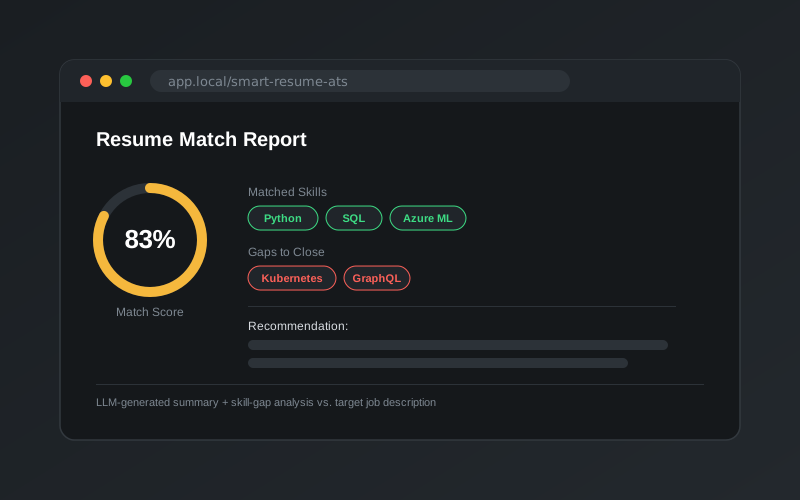
An Applicant Tracking System (ATS) style tool that uses Google’s Gemini model to read a resume and compare it with a job description. It serves two audiences:
Recruiters get a consistent first-pass screen of each candidate in seconds.
Candidates see how well their resume matches a role, and what to improve before applying.
Features
1. Resume analysis
Upload a PDF resume and click Resume Analysis to get:
A 100-150 word summary of the candidate
Key skills
Work experience, with job titles, companies and dates
Education, with degrees, institutions and graduation dates
Achievements: awards, certifications and publications
2. Skill-gap analysis and recommendations
Paste a job description and click Skill Gap Analysis and Recommendations to get:
% match and % mismatch between the job’s requirements and the resume
Top matching skills, each with an estimated proficiency (beginner, intermediate or advanced)
Missing skills, each tagged as required, preferred or nice-to-have
Underdeveloped skills that appear on the resume but need strengthening
Concrete recommendations for closing the gaps
How it works
The PDF goes straight to the model. The resume is sent to Gemini as a PDF Part, so no separate text-extraction step is needed and the model can use the resume’s layout and structure.
Prompts live in their own module.prompts.py holds two detailed task prompts, one for summarising and one for gap analysis. Each spells out the required inputs, the exact output sections and the analysis steps to follow, such as entity recognition and skill matching. Keeping prompts separate from app code made them easy to iterate on.
Structured, repeatable output. Both prompts ask for fixed sections with headings and bullet points, so results for different candidates are easy to compare side by side.
Small helpers.utils.py handles file I/O, clears the upload folder between runs, and provides a timing decorator that shows how long each analysis took.
Running it
pdm install
echo"GOOGLE_API_KEY=<your key>"> .env
pdm run streamlit run app.py # opens on http://localhost:8501