Gen AI project · LLM Applications
Conversational Text2SQL
Ask a database a question in plain English and get ready-to-run SQL and its results, with an LLM-as-judge evaluator to measure accuracy.
Overview
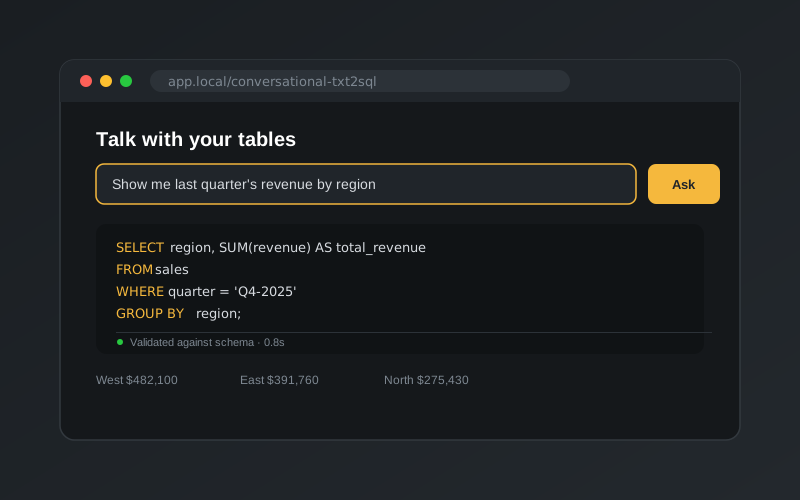
“Talk with your tables!” A business user types a question in plain English, picks a database, and gets back a SQL query that is ready to run, along with its results. No SQL knowledge is needed.
Generating SQL that merely looks right is easy. Generating SQL that uses the right tables, the right joins and the business’s own definitions of metrics is hard. This project tackles that by grounding the model in three kinds of context, and by adding an automated way to check whether a generated query is correct.
The demo database
The project ships with an exchange-traded funds (ETF) database from the BIRD-Interact text-to-SQL benchmark: 15 related tables covering funds, fund families, performance, annual returns, risk metrics, sector and bond allocations, bond ratings, holdings and securities. A Docker Compose setup starts a local PostgreSQL instance and loads it in one command.
A typical question looks like this:
“Identify all the premium income funds and calculate each one’s secure income efficiency score. Show the ticker symbol, the fund name and the score.”
Answering it needs domain definitions that aren’t in the schema at all, such as what counts as a “premium” fund or how a yield-to-expense ratio is calculated.
How it works
1. Schema-aware prompting
prompt.py builds a prompt from three sources for the chosen database:
- The schema: every
CREATE TABLEstatement, so the model sees the real table and column names. - Column meanings: a JSON file describing what each column actually holds.
- A knowledge base: 88 domain definitions, such as Yield-to-Expense Ratio = yield rate ÷ net expense ratio or Annual Fund Outperformance. These let the model turn business vocabulary into correct calculations.
The model is told to return a single query inside <SQL>…</SQL> tags, which the pipeline then extracts.
2. Generation and execution
main_pipeline.py runs the flow end to end: build the prompt, call the model (GPT-4.1 mini by default), extract the SQL, and execute it against PostgreSQL with database_utils.py, returning the results as a DataFrame.
3. LLM-as-judge evaluation
Text-to-SQL accuracy is hard to measure by string matching, because two queries can look completely different and still be equivalent. evaluation.py uses a second LLM call as a senior SQL reviewer that compares a generated query against a reference query clause by clause:
SELECTcolumns and expressions, after resolving aliasesFROMtables and join logic, including when join order mattersWHEREandHAVINGfilters, judged on logic rather than formattingGROUP BYcolumns, CTEs and subqueries
The verdict comes back as structured output, validated against Pydantic models: a true/false result for each clause, an explanation for each, and a final answer. Prompt or model changes can then be scored consistently instead of being spot-checked by hand.
4. Streamlit UI
ui.py gives non-technical users a simple front end: type a question, choose a database, then see the generated SQL, the response time and the query results as a table.
Project structure
The code is an installable Python package (src/conversational_txt2sql/) managed with uv, with one module per concern: prompting, the LLM client, the pipeline, evaluation, database utilities and the UI. The LLM client supports both plain-text and structured output, so other models can be added in one place. Adding a new database only needs its schema, column descriptions and knowledge base in data/.
Built as a team project in the MultiModal AI Bootcamp.