Gen AI project · Agentic AI
Terminal Coding Agent
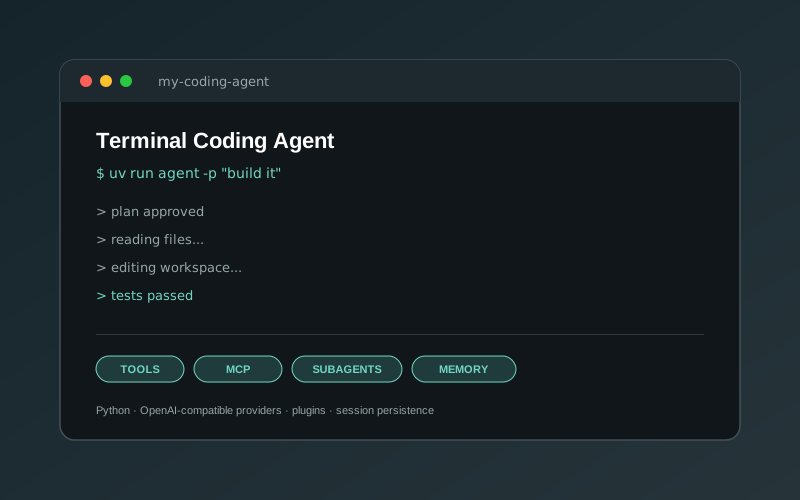
A coding agent for the terminal that reads, edits and runs code, with plan mode, MCP tools, subagents and long-term memory, on any OpenAI-compatible model.
Overview
A coding agent built from scratch in Python that runs in the terminal. You describe what you want in plain English, and the agent reads and edits files, runs shell commands, searches the web and works with Git to get it done. It talks to any OpenAI-compatible provider (OpenRouter by default), so the underlying model can be swapped with one setting.
The goal was to understand how tools like Claude Code and Cursor’s agent actually work under the hood: the tool-calling loop, how context is managed over long sessions, how to keep a human in control, and how to make the whole thing extensible without turning it into a monolith.
How a turn works
Every user message goes through the same loop:
- Route. A lightweight decisions model checks which optional tool groups the request needs (Git, web or MCP) and switches them on, so the main model only sees tools that are relevant.
- Stream. The agent streams the model’s response, showing text as it arrives and assembling tool calls from the streamed fragments.
- Plan (optional). In plan mode the model first proposes a numbered
<plan>. You approve, edit or cancel it before anything runs. - Act. All tool calls from one response run in parallel. Before each call an approval check can skip it or rewrite its arguments, and after it the result goes back to the model.
- Repeat. The loop continues until the model stops asking for tools.
- Compact. If the conversation passes 80% of the model’s context window, older turns are summarised automatically. The summary keeps goals, decisions, files touched and work still in progress.
Architecture
The agent is a streaming tool-use loop wrapped in an event bus. The loop (loop.py) is the only module that calls the LLM, and it never imports any side-effect code directly. Everything else listens for events:
- Display renders streamed text and tool activity.
- Approval asks before risky actions, with modes for “ask for everything”, “auto-accept edits” and “approve all”.
- Cost tracker records token usage, including cached tokens.
- Persistence and transcripts save sessions so they can be resumed with
--resume. - Auto-memory extracts lasting project facts at the end of a session.
- Webhooks forward chosen events to an external URL.
This split keeps the core small and makes each behaviour easy to test or swap out.
Tools
- Core tools (always on):
read_file,write_file,edit_file,grep_files,find_files,bash, a to-do list and memory tools. - Optional groups: web search and fetch, Git (through an MCP server), and any other MCP servers. They are enabled per request, so the tool list stays short.
- MCP client: connects to MCP servers over stdio or HTTP and starts them all concurrently. When many servers are connected, only the ones relevant to the current message are shown to the model.
- Plugins: a Python file dropped into
agent_tools/becomes a new tool.
Subagents and parallel work
The agent can spawn subagents, each with its own message history and event bus, to work on focused sub-tasks. A spawn_parallel tool runs a batch of tasks at once. A small scheduler orders them by dependency, caps how many run together (4 by default), and never runs two tasks that edit the same file at the same time. Subagents can nest up to three levels deep.
Memory, skills and commands
- Project memory lives in
.agent/memory.jsonand is loaded into the system prompt each session. Facts are saved when you say “remember…”, or extracted automatically after longer sessions. - Skills and slash commands are reusable prompts stored as Markdown in
.agent/skills/and.agent/commands/, run with/<name>. - Settings merge from CLI flags, a personal
settings.local.jsonand a shared projectsettings.json.
Safety
- File tools refuse paths outside the working directory.
- Tool output is wrapped and treated as untrusted data, never as instructions.
- Destructive shell commands such as
rm -rfandsudoare flagged and go through approval. - A failure in any helper (routing, memory, webhooks) falls back safely and never stops the agent.
Running it
uv sync
echo "OPENROUTER_API_KEY=sk-or-..." > .env
uv run agent                                  # interactive session
uv run agent -p "explain src/agent/loop.py"   # one-off prompt
The repository includes a pytest suite and detailed design docs in docs/agent_docs/ covering the architecture, tool system, events, MCP integration and memory.